
12 Steps AA Companion
Dean HuffLifestyle
4.7601.00 Reviews
- Version
- 3.5.15
- Installs
- 50.00K
- Age Rating
- Teen
Screenshots

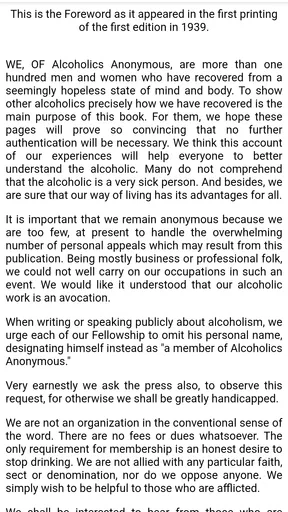
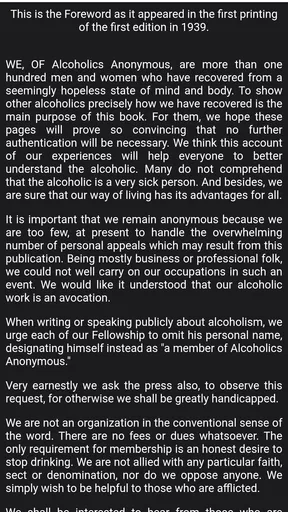
Our Review of 12 Steps AA Companion
 Analysis by Appyee
I find the most useful way to think about 12 Steps AA Companion is as a ready-to-hand reading and reflection tool, rather than a substitute for the people and routines that make recovery personal. Its focus on AA materials means I can turn to a passage, a reflection, or a journal entry without first deciding which general wellness app to open. That narrow purpose is its strength: it keeps recovery-related resources together when I want a small, practical prompt to pause and reconnect with the work.
A focused companion for AA materials
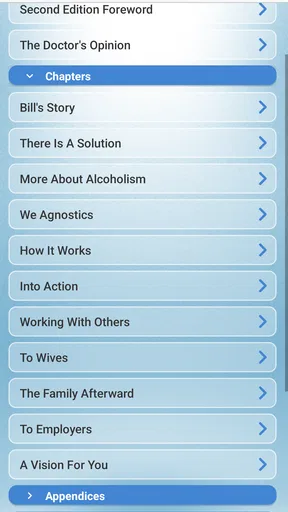
The central appeal is having the Big Book, daily reflections, prayers, meditations, and a personal journal gathered in one place. I like that this gives the app a more specific role than a broad habit tracker or mood diary. Those tools can help someone record patterns, but they do not necessarily offer AA-oriented reading alongside that record. Here, the combination makes it easier to move from reading something meaningful to noting what it brings up for me.
That convenience matters most when I want a brief check-in, not a full study session. A passage can give me a starting point, while a journal entry lets me capture a thought before it disappears into the day. I would treat the app as a personal aid for reflection and preparation, not as an authority on how to interpret the program. For questions about working the steps or applying a reading to a difficult situation, a sponsor, trusted AA members, or a meeting can provide the human context an app cannot.
Making the tools useful in everyday life
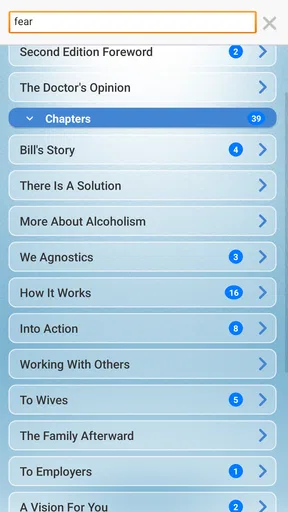
One practical approach is to use the search function before a planned conversation or meeting. If I remember a topic but not the exact page, searching can be more direct than paging through a book. I can read with one question in mind, then write a few private notes about what felt relevant and what I want to ask someone. That turns the app into a bridge between solo reflection and a real conversation, rather than a reason to keep every concern to myself.
The journal can also serve a different purpose from a diary. I would keep entries concrete: what happened, what I felt, what helped me get through the moment, and whether I want to bring it up with someone. A short note is often more useful than trying to produce a polished account of the day. If privacy is a concern, I would be deliberate about what I choose to write on any phone and avoid treating a digital journal as a guaranteed confidential space.
The reflections and meditations suit different moments. A daily reading may work better as a calm morning routine, while an audio meditation can be a useful pause when I have a quiet place to listen. I would not rely on audio when I need to stay alert or when headphones would make it harder to notice what is happening around me. The useful habit is choosing a moment that fits the tool, rather than expecting every feature to fit every situation.
Where it fits alongside meetings and other options
Picture a day when I have a few minutes before leaving home and know I may face a stressful conversation later. I could read a reflection, search for a passage connected to the concern, and jot down one point I want to discuss at my next meeting. That is a modest use, but it gives the app a clear job: help me prepare and remember. If the situation feels urgent or I need support from another person, the right next step is reaching out to someone I trust or attending a meeting, not continuing to browse on my own.
Compared with a physical Big Book, the phone version is easier to carry and search, but a printed book may be more comfortable for longer reading or for someone who wants fewer screen distractions. Compared with general meditation or journaling apps, this one is more directly tied to AA materials; those broader apps may be a better match if someone mainly wants flexible mindfulness exercises or customizable tracking. The meeting finder adds practical value when I am trying to locate a gathering, though I would still check meeting details before setting out and use local AA information when I need the most dependable guidance.
This is also why I would not recommend treating one app as a complete recovery plan. Digital reading can support consistency, but it cannot provide fellowship, accountability, or a personal response to complicated circumstances. The best use I see is complementary: keep the material close, use it to prompt honest reflection, and carry questions or insights into conversations with people who understand the program.
Have you ever come across an app that feels like it’s just what you needed at the right time? Well, that's exactly how I felt when I stumbled upon 12 Steps AA Companion. If you're someone who's navigating through recovery or just curious about how the AA program can fit into your life, this app is a gem.
Navigating Through the Features
First things first, the app is a sleek tool that's designed to keep you on track with your recovery journey. It packs in all the essentials of the AA program right into your pocket. Imagine having your Big Book, prayers, and personal reflections all in one place. Neat, right?
The Digital Big Book
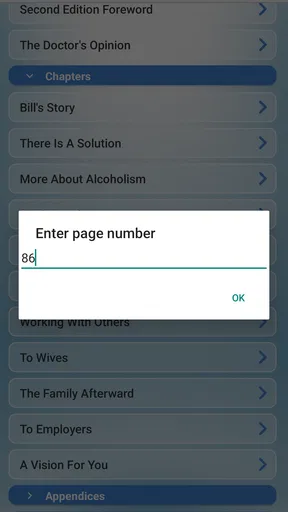
The app features a full version of the Big Book, which is the holy grail for anyone in the AA journey. It's like having a guidebook that you can whip out anytime you need a little inspiration or guidance. The search functionality is a lifesaver because, let’s be real, flipping through pages isn’t always the easiest way to find what you’re looking for.
I find that the search is most valuable when I remember an idea, but not where I read it. Searching can help me return to a passage I want to consider, although I still prefer to slow down and read around it rather than treating a match as a complete answer. For someone new to AA, that distinction matters: a quick lookup can orient you, while a sponsor or a meeting can help put the reading in context.
Daily Reflections and Personal Journal
Now, I’m someone who thrives on daily motivation. The daily reflections on this app are perfect for setting the tone for your day. It’s like a little nudge that reminds you why you’re on this path. Plus, the personal journal feature is a great way to jot down your thoughts, progress, or even those moments of gratitude.
A small routine makes these features easier to use than an ambitious promise to write every day. I might read a reflection with breakfast and save a single sentence about what I want to remember, or open the journal after a meeting to note a question for next time. The point is not to build a perfect record; it is to make reflection manageable. If writing starts to feel like a chore, a brief note—or taking the thought to a person instead—can be the more useful choice.
Prayers and Meditations
If you’re into incorporating spirituality into your recovery, the app has a lovely collection of prayers and meditations. It’s like having a mini sanctuary that you can tap into whenever you need some peace of mind. The audio meditations are particularly soothing, helping to calm those racing thoughts.
This part will feel more relevant to people who are comfortable exploring spirituality through prayer or meditation. If that language is not a fit, the reading and journal may still be useful, but I would not expect the spiritual material to suit everyone equally. A practical tip is to try a meditation at a low-pressure time first, so I can decide whether its style works for me before turning to it during a difficult moment.
Meeting Finder
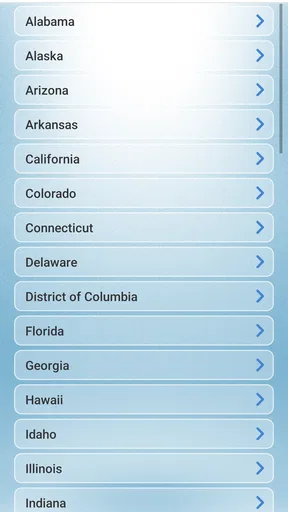
Perhaps one of the most practical features is the meeting finder. Whether you’re traveling or just looking for a new local meeting to attend, this tool is spot on. It’s updated and reliable, which means you’ll never be left in the lurch when you need a little group support.
I would use the finder as a starting point, especially when away from my usual area, and confirm the meeting information before making a long trip. Meeting schedules and local arrangements can change, so a second check is sensible. For someone who is new, the finder may lower the friction of looking for a meeting, but it cannot tell them which group will feel like the right fit; trying a few options and asking local members is often more helpful than expecting one search to settle that question.
My Personal Take
So, what’s the verdict? Honestly, I’m impressed. The app is more than just an app; it’s like having a supportive friend who’s always around. It’s intuitive, user-friendly, and feels like it’s been designed with real people in mind. That’s a win in my book.
There are a few practical things I would weigh before installing it. It costs $1.99, so someone who only wants occasional access to readings may prefer a physical book or resources they already use. It is rated Teen, and its current version is 3.5.8, with Android 5.0 as the minimum OS requirement. Dean Huff is the developer. The app has a 4.7 average from around 1.8K ratings, alongside about 600 written reviews, and has been installed over 50K times. Those figures suggest an established audience, but they cannot tell me whether its reading style or spiritual content will suit my own preferences.
For an Android user deciding between this and a general recovery tracker, I would choose based on the job I need done. If I want AA-centered reading, search, reflection, and a meeting-finding aid together, this is the more focused fit. If I mainly want flexible habit charts, broader mental-wellness exercises, or a screen-free reading experience, another option may serve me better. The app’s value is in making particular AA resources handy, not in trying to cover every kind of support.
I’ve come to appreciate the little things, like the clean interface and the way everything is laid out logically. It doesn’t overwhelm you with too much information at once, which means even if you’re new to the AA world, you’ll find your way around pretty easily.
My main caution is to keep the role of the app realistic. A journal entry can help me notice a pattern, but it is not the same as sharing that pattern with someone I trust. A meditation can offer a quiet moment, but it cannot respond to a crisis. I would keep the app as one part of a wider routine and make sure the phone itself does not become a reason to avoid contact with other people.
Overall, it’s a solid app for anyone on the journey of recovery. Whether you’re a seasoned AA member or a newbie just starting out, this app is worth a spot on your phone. It’s like having a pocket-sized companion that’s there to guide, support, and motivate you every step of the way.
Who is likely to get the most from it?
I think it suits people already interested in AA who want familiar material close by between meetings, and newcomers who would benefit from an easy way to browse readings and collect questions. It is also a sensible choice for someone who travels and wants a meeting-finding tool alongside the reading and reflection features. I would skip it if I wanted a therapist, crisis service, fully customizable sobriety tracker, or a replacement for in-person fellowship; those are different needs, and a companion app should not be asked to fill them.
A simple way to decide
Before paying, I would ask myself whether I will actually use the AA-specific content, whether the spiritual elements feel comfortable, and whether I prefer reading on a phone. If those answers point in the right direction, the combination of searchable text, reflections, journaling, meditations, and meeting support gives the app a practical place in a recovery routine. If I only need one of those things, a book, a notebook, or a broader tool may be simpler. For me, its best role is as a convenient prompt to reflect, prepare, and then connect with people beyond the screen.
Verdict
Strengths of 12 Steps AA Companion
- Comprehensive AA resource guide
- Easy-to-navigate user interface
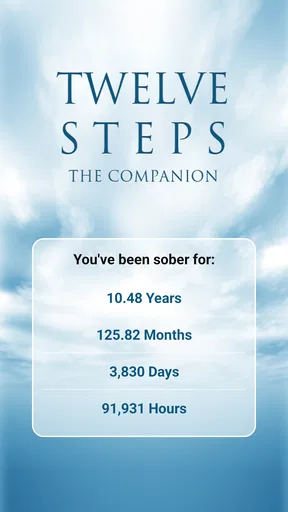
- Includes sobriety tracker feature
- Offline access to materials
- Daily reflections and prayers
Limitations of 12 Steps AA Companion
- Limited customization options
- No social community features
- Ads in the free version
- Requires registration for full access
- Occasional sync issues
Similar Picks in This Category
View All
SmartThings
Samsung Electronics Co., Ltd.4.6

Google Home
Google LLC4.0

Pinterest4.2

Astrotalk - Talk to Astrologer
Astrology & Horoscope4.7

My Verizon
Verizon Consumer Group4.5

Samsung Wallet (Samsung Pay)
Samsung Electronics Co., Ltd.4.1
Frequently Asked Questions
What features does the 12 Steps AA Companion app offer?
The 12 Steps AA Companion app provides a range of features designed to support individuals in their recovery journey. These include daily reflections, sobriety calculators, access to the Big Book, and tools for tracking meetings and progress. The app also offers motivational quotes and networking options to connect with others in the AA community.
Is the 12 Steps AA Companion app user-friendly?
Yes, the app is designed with user-friendliness in mind. Its intuitive interface allows users to easily navigate between features such as sobriety counters, meeting locators, and daily reflections. The app aims to provide a seamless experience, making it accessible for both new and long-term members of AA.
Can the app be used offline?
The 12 Steps AA Companion app offers offline functionality for many of its features. Users can access the Big Book, daily reflections, and their sobriety tracker without an internet connection. However, some features, like meeting locators, may require online access to provide up-to-date information.
Is the 12 Steps AA Companion app free to use?
The app offers a free version with essential features, but there may be in-app purchases or a premium version available. The premium subscription often includes additional tools, ad-free experience, and enhanced features that can further aid in recovery and provide more comprehensive support.
How secure is the 12 Steps AA Companion app?
User privacy and security are top priorities for the 12 Steps AA Companion app. The app employs encryption and secure login methods to protect user data. However, it's always advisable for users to review the app’s privacy policy and ensure their personal information is handled appropriately.
